
Upload a statement. See everything.
Every account you bring in, one honest view — your cashflow, your bills, your net worth. No bank login. Bank CSVs and investment-statement PDFs both work.
Free · No credit card · Updated regularly
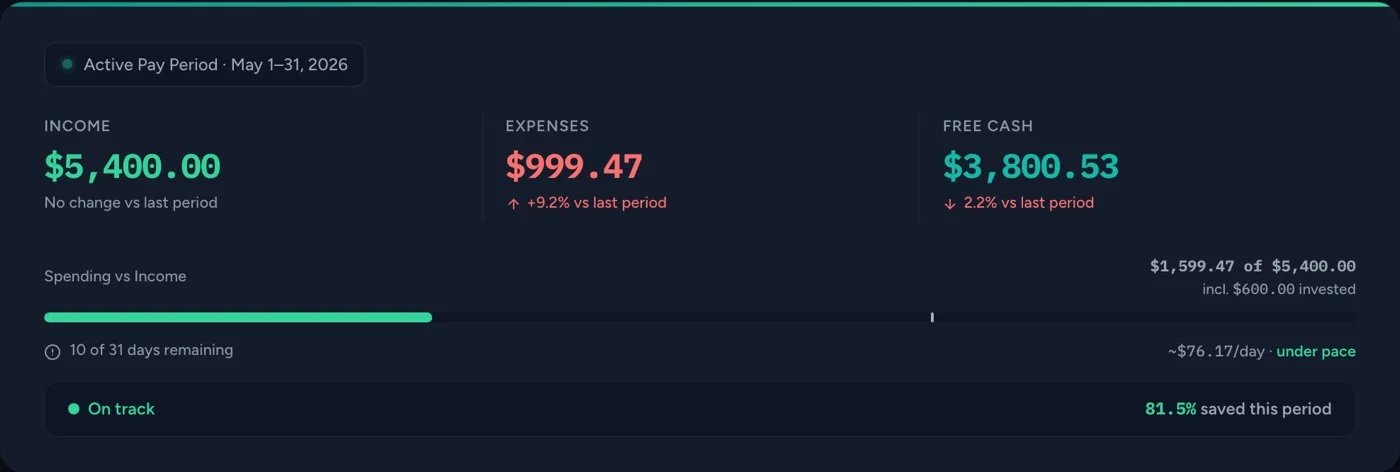
A statement drops in.
Export a CSV or statement PDF from your bank and upload it. Your file is read in your browser and never stored.
One honest view.
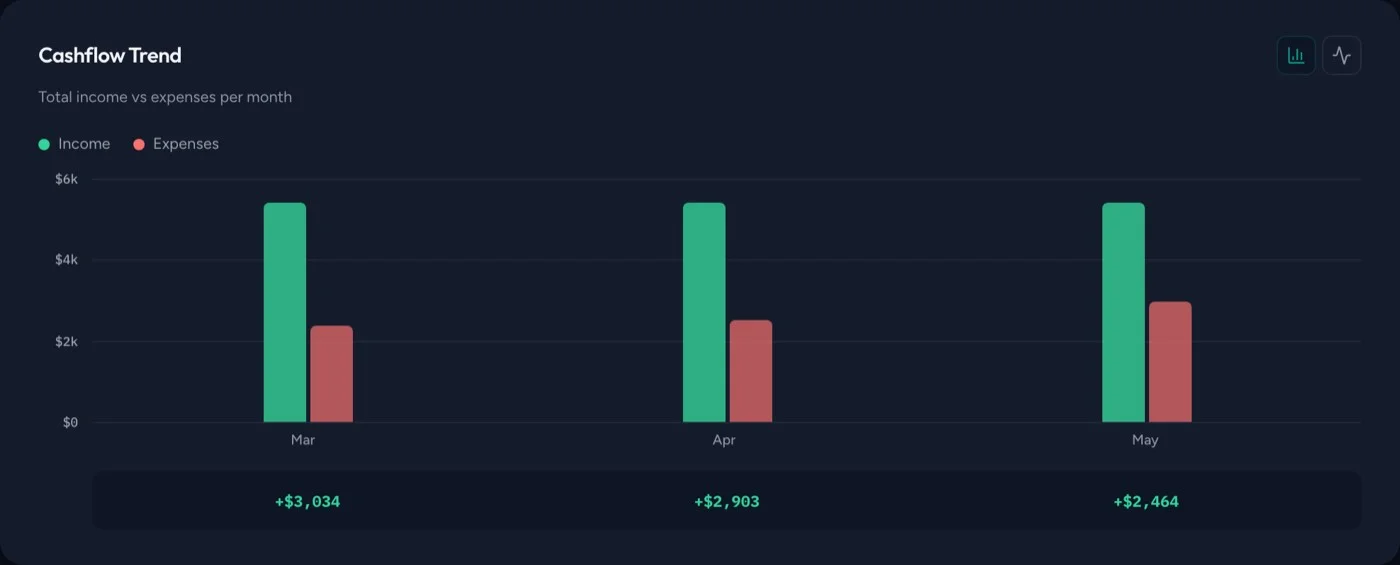
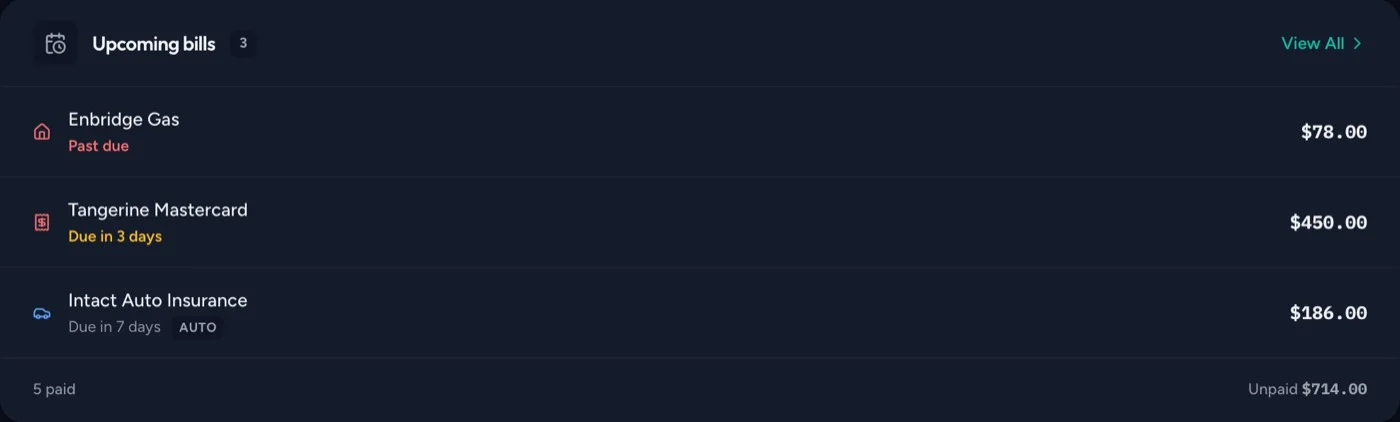
Transactions are categorized as they import, and you can correct any of them. Cashflow, bills, and net worth line up side by side — no app-hopping, and no typing transactions in by hand.


Ask anything, in plain English.
Natural-language questions about your own finances get a real answer, grounded in the numbers you uploaded. The Ask assistant is free.
Over the last 3 months your savings rate is 51.6% — you kept about $2,800/month of your $5,423 average income (income minus spending).
Where the rest goes:
- Housing is your largest expense at roughly $1,785/month (mortgage + hydro)
- You're investing about $700/month into your TFSA and RRSP — an investment rate of 12.9%
One recent shift in the data: dining out jumped sharply this window — it's the fastest-growing category in your spending.
To answer, the Ask assistant sends a redacted summary of your finances to our AI provider — mostly aggregates; for transaction-specific questions a small sample of matching rows may be included, with personal identifiers automatically redacted — and they don't train on it. Nothing else is sent for Ask.
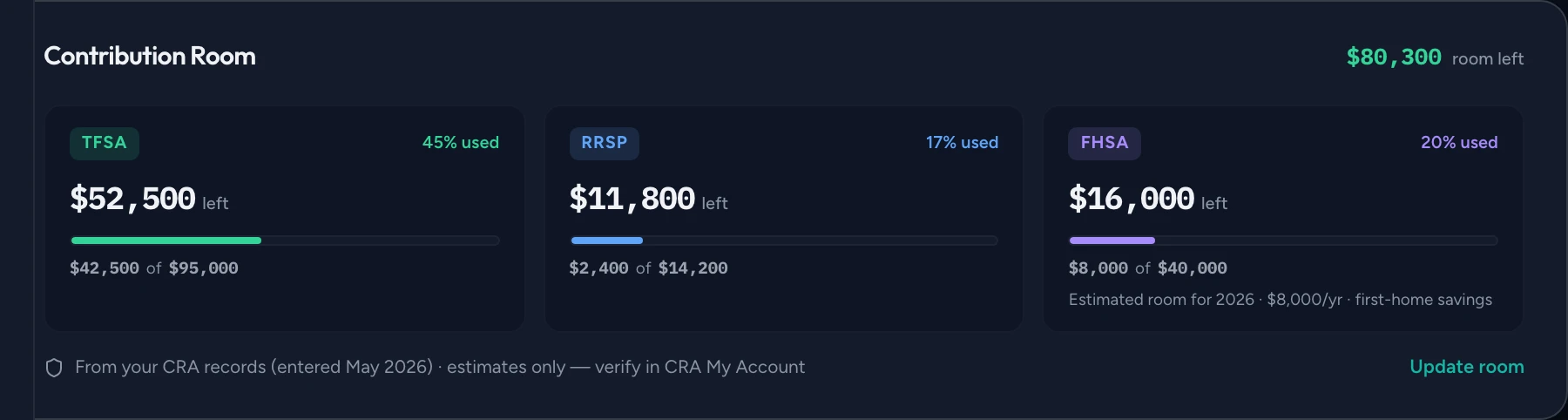
TFSA, RRSP and FHSA room, tracked.
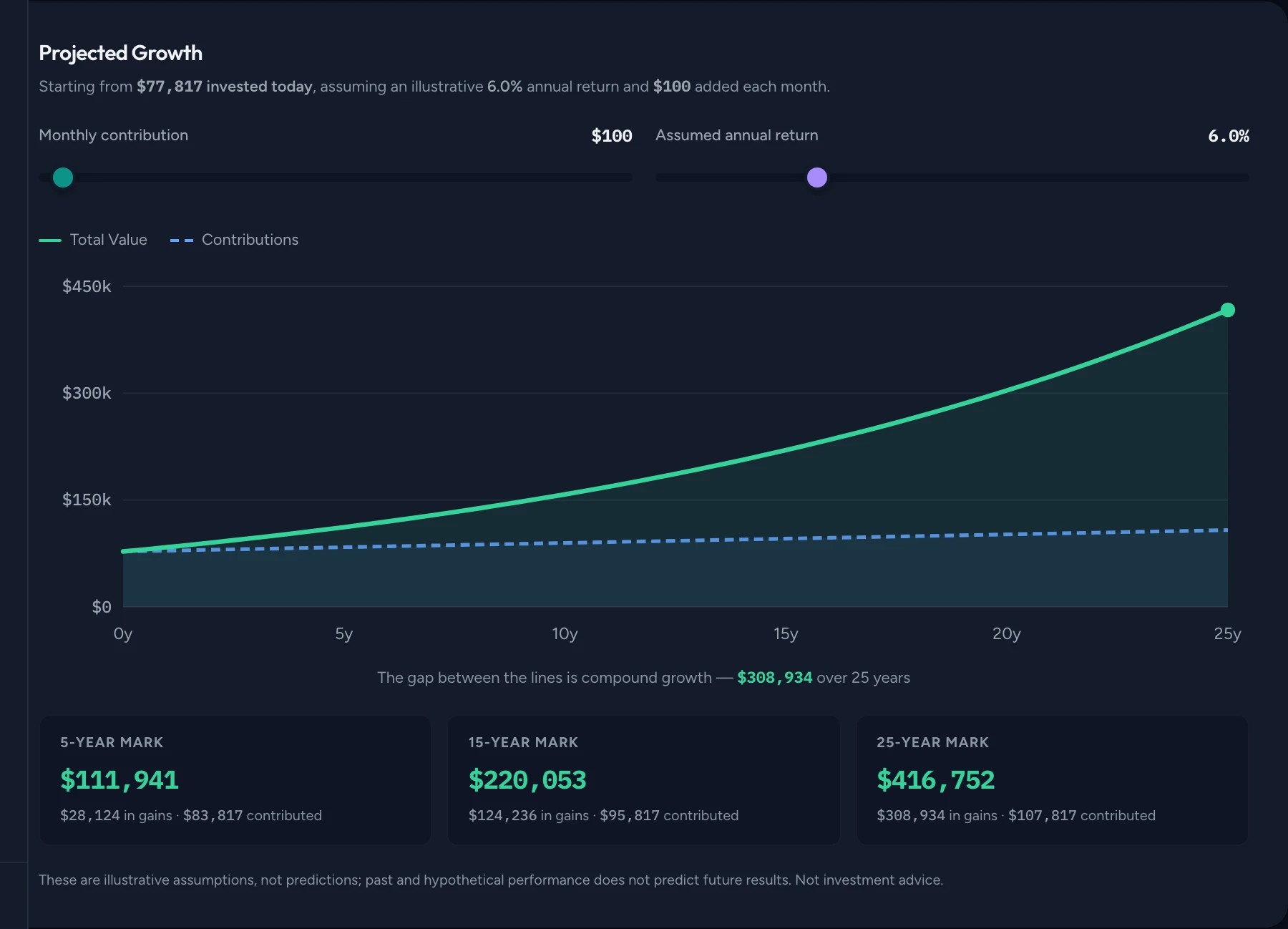
Import RBC, Questrade and Sun Life statement PDFs — or add any account by hand — and FlowVista keeps an eye on your contribution room, benchmarks your portfolio, and projects growth. Illustrations based on the data you upload, not predictions.
Measured against XEQT — iShares Core All-Equity ETF, a common all-in-one fund for the aggressive profile.
XEQT published calendar-year total returns (CAD). Past performance does not predict future results. XEQT is shown as a common comparison fund for this risk profile — not a recommendation. Not investment advice.
Privacy by architecture.
Most of it is how FlowVista is built. The rest is a promise, written into our privacy policy.
No bank login.
There is no OAuth, no open-banking API, and no third-party aggregator. You download a CSV from your bank yourself — or an investment-statement PDF (Questrade, RBC, and Sun Life group plans today, with more rolling out) — and upload it here. Your bank credentials never leave your bank.
Read in your browser.
Your file is read in your browser and never stored. Only the parsed transactions are saved to your own private account. Your transactions are encrypted in transit and at rest and isolated to your account by row-level security, so other users can't see your data.
Never sold. View-only.
FlowVista never sells your data and never shares it with advertisers or data brokers. The exceptions are optional features you turn on: the Ask assistant (what it sends is spelled out above), and email reminders and digests, delivered through our email provider. It's view-only by design — it can read your statements, but it can never move your money.
Yours to delete, anytime.
You can permanently delete your account and all your data from your Settings. Deletion is immediate and final — we currently keep no backups of your data. Export your transactions to CSV whenever you like.
Common questions.
Why CSV uploads instead of connecting to my bank?+
Which Canadian banks are supported?+
Is FlowVista free?+
What if FlowVista shuts down?+
How accurate is the auto-categorization?+
Start tracking in about a minute.
Upload a CSV and see where your money went. Free, with new features shipping regularly.
No credit card · No bank login · Export anytime